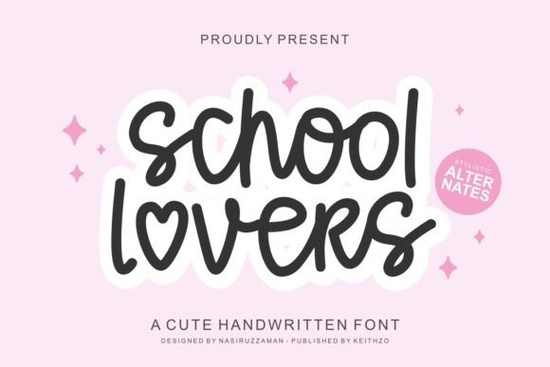
Finding the right typography for a cute, handmade project can take hours of scrolling through endless digital libraries. If your design needs a playful, slightly wavy touch, the School Lovers Font is a highly practical option to keep in your creative toolbox. It features an irregular, undulating baseline that gives text a natural, bouncy feel without looking messy or unprofessional. This makes it incredibly useful for crafters working on vinyl decals, small business owners designing product packaging, or print-on-demand sellers creating lighthearted apparel graphics.
What projects work best with a wavy script typeface?
Wavy and bouncy scripts shine when you want to convey warmth, youth, and approachability. Because the letters dance along the baseline, they feel much more personal and handcrafted than rigid, straight-lined alternatives. The adorable and cute aesthetic of this specific typeface makes it a natural fit for several specific niches.
- Handicrafts and vinyl cutting: The thick, flowing strokes cut cleanly on digital die-cutting machines. The lack of extremely thin hairlines means your decals will not peel or tear easily during the weeding process.
- Boutique branding: It is perfect for bakeries, children's clothing lines, handmade soap labels, or local craft fair signage where a friendly vibe is essential.
- Social media graphics: Adding a conversational, relaxed tone to Instagram carousels or Pinterest pins helps engage audiences who prefer authentic content over highly corporate designs.
If you are working on seasonal merchandise, you might also want to pair it with a more festive option like this holiday-themed lettering style to create visual contrast in your winter retail collections.
How do you access the extra swashes and ligatures?
One of the most frustrating parts of using decorative typography is finding out that the best glyphs are hidden behind complicated software menus. Fortunately, this typeface is PUA encoded. This means you can easily access all the special characters, alternate swashes, and custom ligatures directly from your computer's native character map.
This is a massive time-saver if you are using basic, accessible design platforms like Canva, standard word processors, or free vector tools that do not support advanced OpenType features natively.
- Open your operating system's Character Map on Windows or the Font Book application on Mac.
- Select the installed typeface from your list and scroll down to the bottom to find the hidden private use area glyphs.
- Highlight the specific character or ligature you want, copy it, and paste it directly into your design canvas.
Which typefaces pair well with bouncy scripts?
To keep your layouts readable and visually balanced, you should always pair a highly decorative script with a clean, simple sans-serif or a classic, structured serif. The irregular movement of the main text needs a grounded, stable counterpart to anchor the design.
For a bright, energetic look, try combining it with an upbeat motivation-style lettering choice for your secondary headings. If you are designing for a younger demographic or a modern streetwear brand, contrasting the soft, cute curves with a bold urban-inspired display typeface creates a really striking visual tension. For summer-themed tote bags or beachwear, a relaxed hand-painted brush alternative can complement the wavy baseline beautifully. Finally, if you need something highly legible for small body text or product descriptions, a clean modern sans-serif option will ensure your smaller text remains easy to read.
What should you check before sending your design to print?
Before you finalize your artwork for print-on-demand products, physical crafts, or client delivery, run through a quick quality check. Wavy typography can sometimes cause readability issues if the text is scaled too small or placed on a busy background.
- Check the kerning manually: Look closely at where the swashes and tails overlap. Adjust the spacing letter-by-letter if two characters look cramped or accidentally touch in awkward places.
- Test the color contrast: Ensure the text color stands out clearly against the background. This is especially important on textured materials like canvas, kraft paper, or heathered fabric.
- Verify the cut lines: If you are making physical stickers or die-cut decals, add a slight offset border to prevent the cutting blade from slicing through thin loops or delicate tails.
- Read it out loud: Ask a friend or colleague to read the text. If they stumble or have to read it twice, the undulating baseline might be too distracting, and you should consider shortening the phrase or increasing the font size.
Next step: Open your current design software, type out a test phrase using the wavy baseline, and practice accessing three different alternate glyphs from your character map to see how they change the overall feel of the word.
Get Started Memo Sketch Font for Creative Design Projects
 Fasty Font: Design-Friendly Web Typography
 Design a Logo with the Youngboy Font
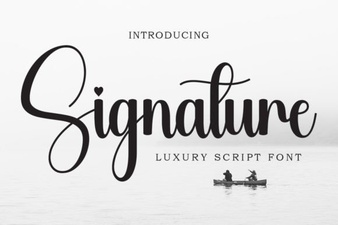 Signature Fonts for Personal Style & Creative Projects
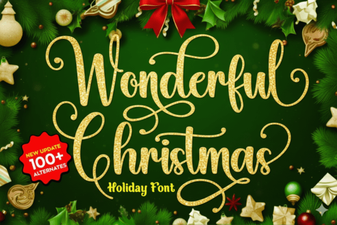 Beautiful Christmas Fonts for Your Holiday Designs
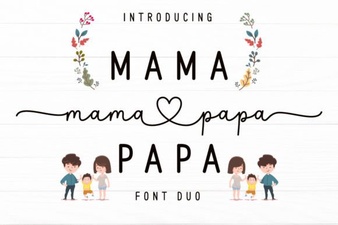 Mama Papa Duo Font: Dual-Family Creative Projects