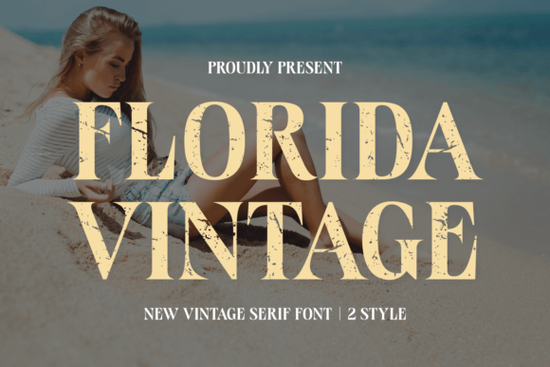
Finding the right typography for a retro or summer-themed project can be tricky. You want something that feels authentic without looking messy or unreadable. The Florida Vintage Font offers a solid mix of classic serif structures and subtle distressed details. It gives designs a nostalgic, sun-faded look that works exceptionally well for crafters and small business owners trying to capture a specific mood. Whether you are setting up a new clothing line, designing a boutique logo, or making DIY gifts, picking the right typeface sets the foundation for your entire visual identity. Typography subtly influences how customers perceive your brand, making this choice highly important.
What makes a good retro serif for apparel and packaging?
When designing for physical products like T-shirts, tote bags, or product boxes, readability and texture matter immensely. A clean, modern font might look too sterile on a cotton shirt or a rustic kraft paper bag. This specific typeface includes built-in grunge accents. These slight imperfections mimic the look of old, worn-in letterpress printing or faded vintage signage.
For print-on-demand sellers and crafters, this means you do not have to manually add texture overlays in your design software. The distressed edges are already baked into the letterforms. It saves time and keeps your file sizes manageable. The classic serif base ensures the text remains highly legible, even when scaled down for small clothing tags, candle labels, or packaging stickers.
How do you use all-caps vintage fonts effectively?
Many retro typefaces are designed to be used strictly in uppercase to maximize their visual impact. When working with this style, spacing is your best tool. If you are browsing through other classic serif options for your branding, you will quickly notice that tight spacing often ruins the vintage illusion and makes the text feel cramped.
- Increase letter spacing: Give each capital letter room to breathe. Adding tracking makes the wordmark look more established, premium, and easier to read.
- Pair with a simple sans-serif: Let the vintage font be the star of the show. Use a clean, minimal sans-serif for subheadings or body text to create a strong visual contrast.
- Keep phrases short: All-caps display fonts work best for short phrases, brand names, or main titles. Avoid using them for long paragraphs, as the uniform height of capital letters makes extended reading difficult for the eye.
Which projects work best with distressed typography?
The worn-in aesthetic naturally fits projects that aim for a cozy, nostalgic, or outdoorsy vibe. If you are looking to download the Florida Vintage Font for your next creative session, consider these specific applications to get the most out of its unique style:
- Book covers and indie magazines: It adds a time-honored flair to fiction novels, travel guides, or local zines.
- Greeting cards and stationery: The textured look feels personal and handcrafted, making it perfect for wedding invitations, save-the-dates, or anniversary cards.
- Apparel graphics: It is highly effective for surf shop T-shirts, summer camp merchandise, retro diner menus, or local brewery branding.
- Social media quotes: The bold, distressed letters grab attention quickly as users scroll through their daily feeds.
What should you check before sending your design to print?
Before you finalize your artwork and send it to a commercial printer, cut it on your vinyl machine, or upload it to your online store, run through a quick quality check to ensure your typography looks professional.
- Check the contrast: Make sure the distressed parts of the letters do not blend into the background color. If printing on a dark shirt, use a light ink color and check a digital mockup first.
- Test for vinyl weeding: If you are a crafter using a cutting machine, check that the grunge details are not too small. Tiny distressed flecks can be a nightmare to weed out of adhesive vinyl.
- Outline your text: If you are sending a vector file to a printer, convert your text to outlines. This prevents any missing font errors on their computers.
- Test the physical scale: Print a physical copy at actual size. Sometimes a grunge effect that looks great on a large monitor turns into an illegible blur when printed on a small sticker.
- Review the license: Always double-check the commercial use terms, especially if you plan to sell physical products featuring the typeface.
 Memo Sketch Font for Creative Design Projects
 Fasty Font: Design-Friendly Web Typography
 Design a Logo with the Youngboy Font
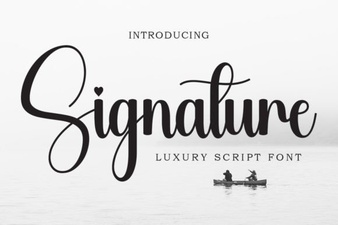 Signature Fonts for Personal Style & Creative Projects
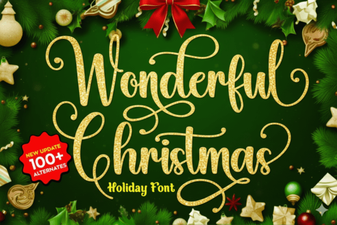 Beautiful Christmas Fonts for Your Holiday Designs
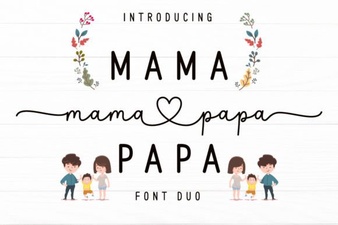 Mama Papa Duo Font: Dual-Family Creative Projects