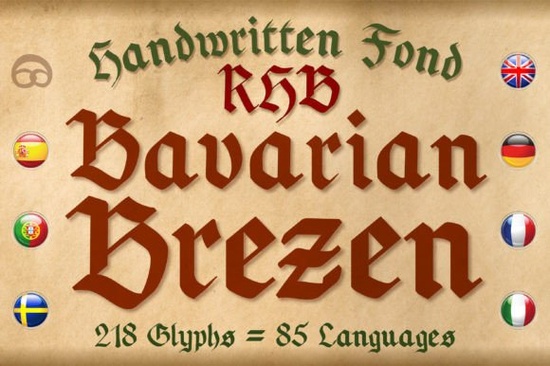
If you are designing merchandise for a beer festival, creating a medieval event flyer, or crafting a vintage-style certificate, finding the right typography is half the battle. The Bavarian Brezen Font is a hand-drawn blackletter typeface modeled after traditional German Fraktur script. Created entirely by hand on an iPad using an Apple Pencil, it brings an authentic, slightly rustic feel to projects that need a touch of old-world charm without looking completely rigid or overly formal. It gives your layouts a distinctly human touch that standard digital fonts often lack.
What kind of projects work best with this Fraktur style?
This typeface shines when you need to evoke a specific cultural or historical vibe. Because it was inspired by classic German lettering, it is a natural fit for Oktoberfest promotions, Bavarian restaurant menus, and artisan beer label designs. But its usefulness goes far beyond just German-themed events. Small business owners and creative hobbyists can use it for a wide variety of niche projects.
Here are a few ways crafters and print-on-demand sellers are using this style:
- Renaissance fair posters, jousting tournament schedules, and historical reenactment flyers.
- Fantasy book covers, tabletop RPG character sheets, and guild membership cards.
- Vintage-style diplomas, achievement awards, and formal certificates.
- Print-on-demand t-shirts, tote bags, and mugs featuring medieval quotes or family heraldry.
If you want to explore more options in this specific aesthetic, browsing other blackletter typefaces can help you compare different weights and textures before finalizing your design direction.
How does the hand-drawn texture affect the final print?
Because the designer drew every single letterform by hand on a tablet, the font features subtle imperfections and organic curves. These minor variations in stroke width give the text a realistic, ink-on-paper appearance. When you print this on textured paper, cardstock, or even fabric, those slight irregularities help the design blend naturally with the physical material. It avoids the sterile, perfectly uniform look that many modern digital fonts have, making your physical products feel more artisanal and carefully crafted.
How does the multilingual support help international sellers?
One of the most practical features for small business owners and global print-on-demand sellers is the extensive character set. The creator included support for around 85 Romance-based languages. This means if you are selling digital downloads or physical apparel to customers across Europe or the Americas, you will not run into missing glyph errors when typing in Spanish, French, Italian, or Portuguese. The accented characters maintain the same hand-drawn charm as the base English alphabet, keeping your design consistent and professional across different language versions.
Is it easy to read compared to other historical fonts?
Traditional Fraktur can sometimes be difficult for modern readers to decipher, especially when used in long paragraphs. Since this font was drawn by hand, the letterforms have a slightly softer, more approachable structure than rigid historical replicas. It works best for headlines, logos, and short phrases. For body text, always pair it with a clean, simple sans-serif or a highly legible serif to ensure your audience can easily read the finer details. If you prefer a slightly different texture or weight for your gothic layouts, checking out the Poker Spines Font or browsing other medieval font collections might give you another solid option for your typography toolkit.
What should you know before installing and using it?
Before you start typing, make sure your design software is fully updated to handle custom font files properly. Since it is a display font, give the letters plenty of breathing room on the canvas. Tight kerning can make ornate styles look cluttered and messy. You can preview the full character map and grab the Bavarian Brezen Font directly from the creator's catalog to start testing it in your mockups right away.
Quick setup checklist for your next design
Follow these practical steps to get the best results when working with ornate display typefaces:
- Restart your software: After installing the font, close and reopen your design program to ensure it appears correctly in your dropdown menu.
- Limit your usage: Use it strictly for titles, logos, or short call-outs rather than long paragraphs of body text.
- Adjust the tracking: Increase the letter spacing slightly if the ornate strokes and serifs feel too crowded together.
- Create visual contrast: Pair it with a simple, modern font for your subheadings and body copy to make the main headline stand out.
- Test in black and white: Check your final design in grayscale before adding color to ensure the intricate details remain visible at smaller sizes.
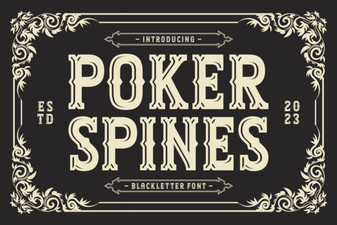 Poker Spines: a Sharp & Strategic Font
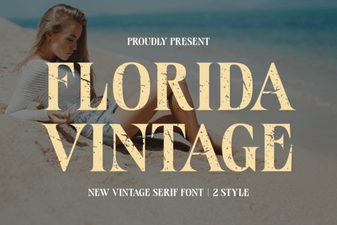 Vintage Florida Fonts for Your Creative Projects
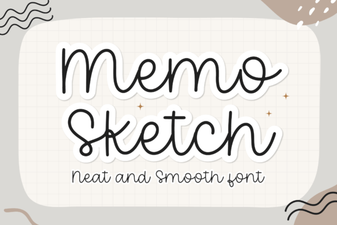 Memo Sketch Font for Creative Design Projects
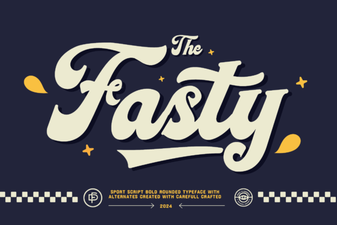 Fasty Font: Design-Friendly Web Typography
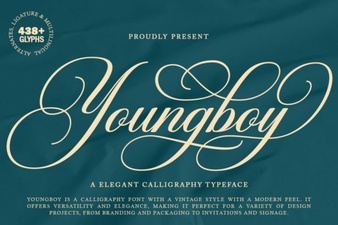 Design a Logo with the Youngboy Font
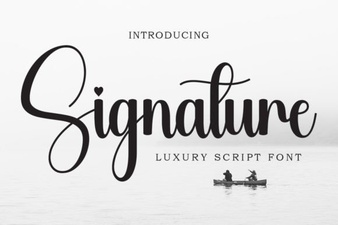 Signature Fonts for Personal Style & Creative Projects