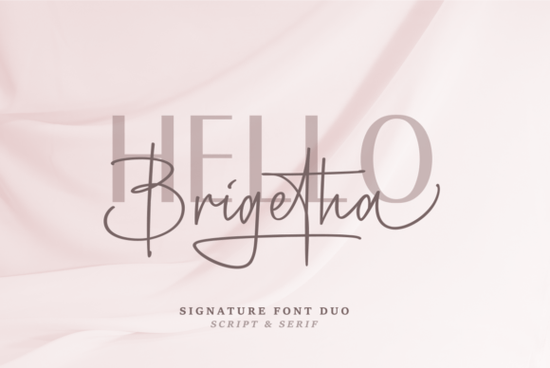
Finding the right typography for a wedding suite or a boutique logo often means balancing readability with personality. When you need a refined look, the Brigetha Font offers a highly practical solution. It pairs a clean, elegant serif with a flowing cursive style, giving you two distinct voices that work perfectly together. Whether you are designing place cards, signature logos, or product labels, having a reliable duo saves time and keeps your branding consistent across all your materials.
When browsing through this specific script collection, you will notice how the contrasting weights and styles complement each other. The structured serif handles longer blocks of text beautifully, while the cursive option adds a personal, handwritten feel to names and short headers.
What makes a serif and script pairing work for formal events?
Wedding invitations and formal event stationery require a careful balance of charm and clarity. Guests need to read the date, time, and location without struggling, which is where the serif typeface shines. It provides the necessary structure and legibility for essential details. Meanwhile, the cursive style steps in to highlight the names of the couple or the main event title, adding a touch of romance and authenticity.
If you ever want to switch things up for a seasonal outdoor project, you might look into a more relaxed, painted style for beach or garden parties. However, for traditional indoor occasions, a classic duo remains the most reliable choice for professional stationery designers.
How can print-on-demand sellers and crafters apply this to physical products?
For small business owners and crafters, typography dictates how a product feels in the customer's hands. When printing on ceramics, glass, or high-quality paper, smooth letterforms ensure the final result looks manufactured rather than homemade. The cursive style works exceptionally well for short, impactful phrases on coffee mugs, tote bags, and decorative pillows.
Sometimes a project requires casual, handwritten textures for a playful children's clothing line. But when you are creating premium gifts, sophisticated apparel, or luxury packaging, a refined serif and cursive combination looks much more professional and justifies a higher price point.
Which file formats do you need for cutting machines and software?
Crafters using vinyl cutters like Cricut or Silhouette need clean vector paths to avoid jagged edges. Before importing your files into your design software, make sure you are using the correct format for your specific machine and software setup.
- OTF (OpenType Font): Best for Adobe Illustrator, Photoshop, and InDesign. It supports advanced ligatures and alternate characters if included.
- TTF (TrueType Font): The most compatible format for basic crafting software, word processors, and vinyl cutting programs like Cricut Design Space.
- WOFF/WOFF2: Essential if you are a web designer building a custom wedding website or a small business landing page.
While some designers prefer rougher, hand-drawn aesthetics for rustic wood signs, smooth vector curves are absolutely essential when cutting adhesive vinyl or engraving acrylic. Jagged edges will ruin a delicate cursive letterform on physical materials.
How do you balance the two styles in a single layout?
Mixing two typefaces in one design can easily look cluttered if you do not establish a clear visual hierarchy. The goal is to guide the reader's eye naturally from the most important information down to the supporting details.
- Establish a focal point: Use the cursive style for the largest text element, such as the couple's names or the brand name. Keep it large and give it plenty of breathing room.
- Use the serif for supporting text: Apply the serif typeface for dates, addresses, and descriptive paragraphs. Keep the size significantly smaller than the cursive header.
- Mind the spacing: Cursive fonts often require careful kerning. Adjust the letter spacing so the connecting strokes flow naturally without overlapping awkwardly.
You wouldn't use uplifting, modern handwriting for the tiny details on a restaurant menu, just like you shouldn't use the cursive version of your duo for paragraph text. Keep the script large, and keep the serif highly readable.
Practical checklist before sending your design to print
Before you finalize your project and send it to the printer or cut your first sheet of vinyl, run through this quick setup checklist to avoid common typography mistakes:
- Outline your text: If you are sending a file to a commercial printer, convert your text to outlines or paths so they do not need to install the font on their machines.
- Check contrast: Ensure the cursive header stands out against the background. If printing on dark paper, use white or metallic foil for the best results.
- Always print a physical proof: Print a test page on your home printer at 100% scale. What looks good on a large monitor might be completely illegible on a small place card.
- Verify ligatures: If the font includes special connecting letters, make sure your design software has OpenType features enabled to display them correctly.
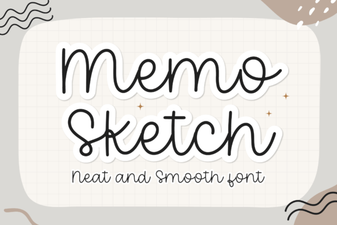 Memo Sketch Font for Creative Design Projects
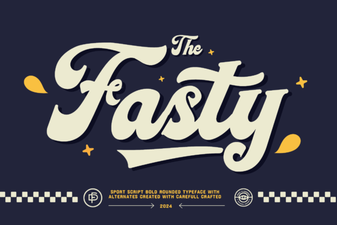 Fasty Font: Design-Friendly Web Typography
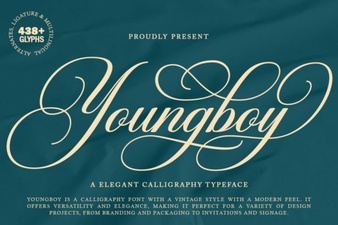 Design a Logo with the Youngboy Font
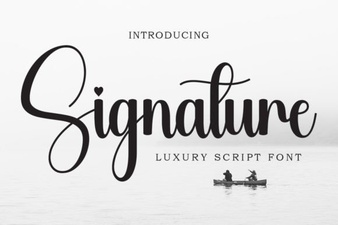 Signature Fonts for Personal Style & Creative Projects
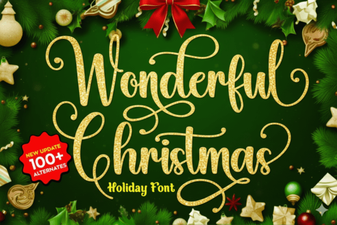 Beautiful Christmas Fonts for Your Holiday Designs
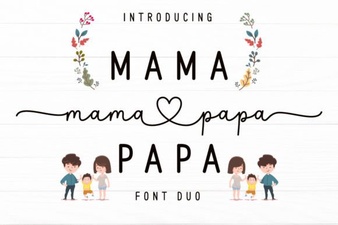 Mama Papa Duo Font: Dual-Family Creative Projects