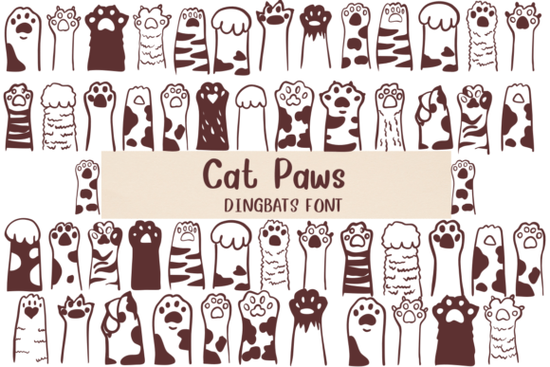
When you need to add a playful, animal-themed touch to a design project, standard alphabet letters rarely capture the right mood. The Cat Paws Font solves this by replacing traditional characters with a variety of cute feline paw prints. Every keystroke produces a unique paw design, making it a highly specific tool for crafters, print-on-demand sellers, and pet-focused small businesses looking to customize their visual assets.
Because this typeface belongs to the symbol and picture category, it functions differently than standard text. If you are building a collection of novelty typefaces, you can easily explore other dingbat styles to pair with your pet-themed graphics. Understanding how these symbol-based files work in your design software is the first step to getting clean, professional results.
How do you type with a paw print font?
Working with picture fonts requires a slight shift in your usual typing habits. Since there are no actual letters, you cannot use this typeface to write out full sentences or paragraphs. Instead, you type random keys on your keyboard to generate a scattered trail of prints, or you select specific keys to place a single, deliberate paw mark exactly where you want it.
To get the most out of this process, keep a few workflow habits in mind:
- Map your keyboard: Open the character map or glyph panel in your software to see which key corresponds to which specific paw design.
- Use separate text layers: Keep your paw prints on a different layer than your standard readable text so you can resize and move them independently.
- Adjust tracking and leading: Increase the space between characters and lines to prevent the individual paw prints from overlapping awkwardly.
What projects work best with feline-themed typography?
Visual elements like paw prints are highly recognizable and evoke a warm, friendly feeling. This makes them incredibly useful for specific commercial and hobbyist applications. Print-on-demand sellers often use these shapes to create niche apparel, such as cat mom t-shirts, cozy hoodies, or veterinary clinic tote bags. Since each character offers a slightly different paw shape, you can create a natural-looking trail that mimics a real cat walking across the fabric.
Crafters and small business owners also find these symbols helpful for physical products. You can use the paw designs to create custom stickers, pet ID tags, enamel pins, or greeting cards for animal adoption events. Because the shapes are simple and bold, they cut cleanly on vinyl plotters and laser engravers without losing fine details. They also work beautifully for stamping into clay or leather.
How should you pair picture fonts with readable text?
A common mistake when using novelty typefaces is letting them overpower the main message of the design. The paw prints should act as an accent, not the primary way you communicate information to your audience.
Pair the paw symbols with a clean, highly legible typeface. A simple sans-serif or a neat handwritten script works well. For example, if you are designing a coffee mug that says "Purrfect Morning," use a readable script for the words, and then place a few scattered paw prints trailing off the end of the text.
Color choice also matters. Instead of using harsh, pure black for the paw prints, try using a soft charcoal gray or a warm brown. This makes the design feel more organic and approachable, which perfectly matches the cozy vibe of pet-themed merchandise.
What file formats do you need for crafting and printing?
Before you start designing, check the file formats included with your download. For digital design work in programs like Photoshop, Illustrator, or Canva, standard OTF or TTF files are usually sufficient.
However, if you are cutting vinyl with a Cricut or Silhouette machine, you might need to convert the text to outlines or shapes first. This ensures the cutting software reads the paw prints as solid vectors rather than missing font files. Always do a test cut on a small piece of scrap material to ensure the weeding process will be smooth.
Quick setup checklist for your next design
- Install the font files and restart your design software to ensure they appear in your text menu.
- Open the glyph panel to identify your favorite paw variations.
- Type out your main message using a standard, readable typeface on the base layer.
- Create a new layer specifically for the paw prints and type your chosen keys.
- Adjust the size, spacing, and color of the paws to frame your main text naturally.
- Convert all text to outlines before sending the file to a vinyl cutter or commercial printer.
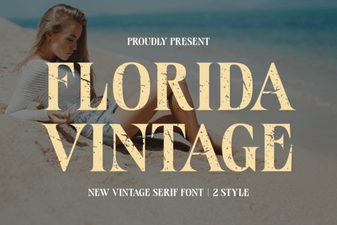 Vintage Florida Fonts for Your Creative Projects
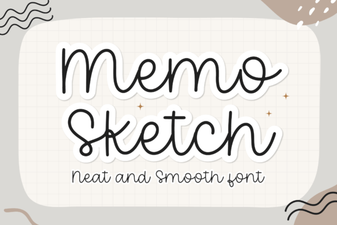 Memo Sketch Font for Creative Design Projects
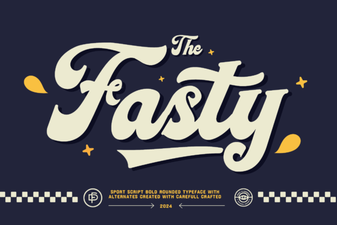 Fasty Font: Design-Friendly Web Typography
 Design a Logo with the Youngboy Font
 Signature Fonts for Personal Style & Creative Projects
 Beautiful Christmas Fonts for Your Holiday Designs