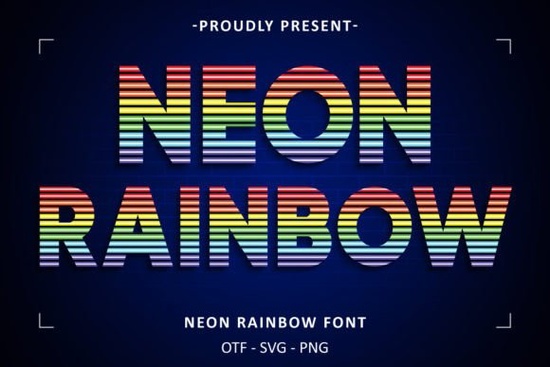
Finding the right typography for night-themed or vibrant projects can be tricky. You need something that stands out without looking messy. The Neon Rainbow Font solves this by combining sleek letterforms with vivid, multicolored gradients. Inspired by glowing city signs and bright prismatic hues, this typeface gives your text an instant urban, modern feel. Whether you are designing a storefront banner or a fun party invitation, having a reliable, eye-catching display typeface saves you from manually coloring every single letter.
What makes a good neon-style display font?
When working with bright, glowing aesthetics, readability is just as important as the visual impact. A well-crafted colorful typeface balances thick, clean strokes with vibrant fills. If the letters are too thin, the colors blur together. If they are too ornate, the bright gradients become distracting and hard to read.
This specific design uses a modern sans-serif base. The smooth curves and straight lines provide a solid canvas for the bright color transitions. This means your audience can easily read the message from a distance, which is crucial for physical signage, event flyers, and social media graphics where users scroll quickly.
How can crafters and POD sellers use bright, multicolored typography?
Print-on-demand sellers and crafters often look for ways to make their products pop on crowded marketplaces. Bright typography works exceptionally well on dark backgrounds, creating a high-contrast look that grabs attention immediately.
- Apparel: Print bold, colorful quotes on black or navy blue t-shirts and hoodies for a striking streetwear vibe.
- Drinkware: Wrap vibrant text around dark ceramic mugs or stainless steel tumblers to create fun, eye-catching gifts.
- Stationery: Use it for greeting cards, birthday invitations, or die-cut stickers that need to stand out in a stack.
- Wall Art: Create modern, urban-style canvas prints tailored for teenagers' bedrooms, game rooms, or creative studio spaces.
If you are building a collection of vibrant designs, you might also want to explore other thematic options to round out your shop. For instance, pairing this urban style with a holiday theme can yield interesting results, much like when designers use a patriotic display font for Fourth of July merchandise. Mixing different colorful styles keeps your catalog fresh and appealing to diverse buyers.
Which design software works best with pre-colored letterforms?
Working with pre-colored fonts requires software that supports OpenType SVG or color font formats. If you just use a standard word processor, the text might default to plain black, stripping away all the careful gradient work.
For professional vector work, Adobe Illustrator and Photoshop fully support color fonts, allowing you to scale the text without losing the vibrant fills. If you are a hobbyist or small business owner using simpler tools, Canva and Adobe Express often handle these formats well when uploaded as transparent PNGs or SVGs.
For crafters using cutting machines like Cricut or Silhouette, it is usually best to type out your phrase in your design software, convert the text to outlines or flatten it into a high-resolution PNG, and then import it into the cutting software. This ensures the machine reads the shape correctly. When organizing your asset library, keeping your files sorted is helpful. You might group this specific prismatic urban typeface with your other bright, multicolored assets so you can find it quickly during late-night design sessions.
How do you ensure your colorful text prints correctly?
Screen colors often look much brighter than physical ink. To make sure your final product looks as good in real life as it does on your monitor, follow this quick pre-production checklist:
- Check the background contrast: Bright, glowing text needs a dark or neutral background to stand out. Avoid placing it over busy, multicolored photographs.
- Verify the color profile: If you are sending the design to a professional printer, convert your file from RGB (screen colors) to CMYK (print colors) to prevent the bright hues from looking dull.
- Test the kerning: Even with well-crafted letterforms, you may need to adjust the spacing between specific letter pairs to ensure the gradients align perfectly.
- Order a sample: If you are selling print-on-demand apparel, always order a physical sample to check how the vibrant inks look on the actual fabric.
Next step: Open your design software, set a dark charcoal background, and type out a few test phrases to see how the bright gradients interact with your layout before committing to a final print file.
Explore Design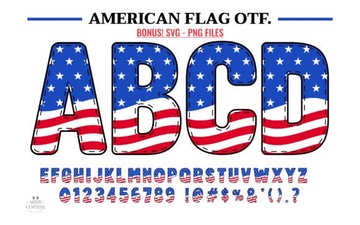 American Flag Typography: Design Ideas & Free Fonts
 Vintage Florida Fonts for Your Creative Projects
 Memo Sketch Font for Creative Design Projects
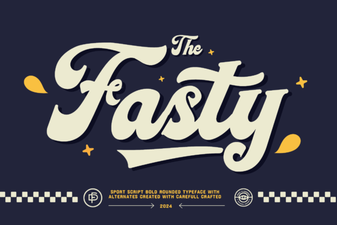 Fasty Font: Design-Friendly Web Typography
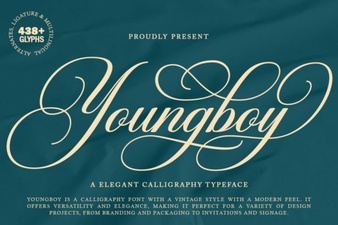 Design a Logo with the Youngboy Font
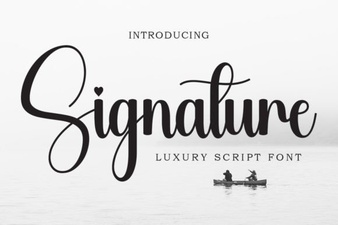 Signature Fonts for Personal Style & Creative Projects