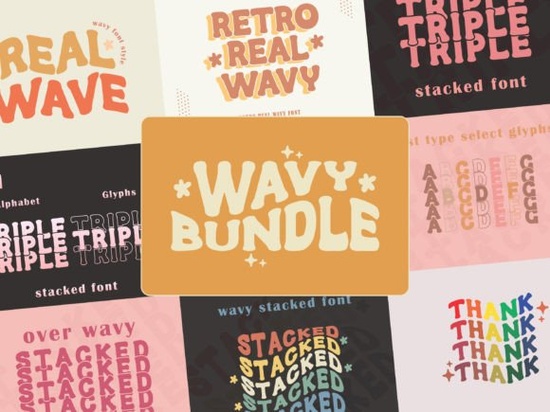
Creating eye-catching merchandise and branding often comes down to how you arrange your letters. Stacked typography forces the reader to pause and absorb the message, making it a favorite for t-shirt graphics, coffee shop logos, and sticker designs. If you want to add a playful twist to this classic layout, the Wavy Stacked Font offers a retro-inspired bundle that bends traditional straight lines into fun, fluid shapes. It includes five distinct styles and extra glyphs to help you build custom wordmarks without manually warping every single letter in your design software.
How do stacked fonts improve merchandise readability?
When designing for print-on-demand products like tote bags or enamel pins, physical space is usually limited. Stacking your text allows you to fit longer phrases into a compact square or circular badge. This layout naturally draws the eye to the center of the design. Instead of a long, thin horizontal line that might get lost on a busy background, a stacked block creates a strong visual anchor. The wavy effect adds a layer of movement, preventing the text block from looking too rigid or boxy on physical products.
What makes a wavy text effect work for retro designs?
Curved and warped text is a hallmark of 1970s vintage aesthetics. It brings a relaxed, nostalgic feel to modern projects. When you apply a wave to stacked letters, the varying baseline creates a rhythmic flow that feels hand-lettered. This is especially useful for crafters making scrapbook titles or small business owners designing bohemian-style packaging. While you might use bold, nature-inspired lettering for rugged outdoor gear, a wavy layout fits perfectly with surf shops, vintage clothing brands, and artisan bakeries looking for a warmer aesthetic.
Which projects benefit most from playful display typography?
Display typefaces are meant to be used at large sizes, so they need plenty of personality. This specific bundle shines in a few key areas:
- Apparel graphics: Perfect for the front of crewneck sweatshirts or the back of denim jackets.
- Event branding: Ideal for music festival posters, wedding welcome signs, and food truck menus.
- Digital assets: Works well for YouTube thumbnails, podcast cover art, and social media story templates.
If your project requires a more formal tone, you would be better off exploring regal, high-contrast serif styles for luxury packaging or clean, modern font pairings for corporate websites. But for fun, approachable designs, a warped stack is hard to beat.
How can you customize glyphs for unique lettering?
One of the biggest challenges with pre-made wavy fonts is that repeating the same letters can make your design look repetitive. This bundle solves that by including seven unique alternative glyphs. By swapping out a standard character for an alternate version, you can break up the visual pattern and make the text look like it was custom-drawn. You can mix and match the five included font styles to create a hierarchy. For instance, study the heavy, rounded serifs of Cooper Black to understand how weight distribution affects readability in retro styles, then apply those principles by using a thicker weight for your main keyword and a lighter style for supporting text.
What should you consider when setting up your canvas?
Before you start typing, think about the final dimensions of your project. When browsing curved, multi-line text layouts, keep in mind that wavy edges take up more vertical and horizontal space than straight text. Leave enough padding around your wordmark so it doesn't get cut off during the printing process. Also, avoid using these highly stylized letters for long paragraphs or small disclaimers. They are strictly for headlines and short phrases. For seasonal projects, you might even combine them with quirky, hand-drawn holiday scripts to create a mixed-media greeting card.
Quick setup checklist for your next design
- Install the files: Unzip the downloaded folder and install the OTF or TTF versions to your operating system.
- Enable OpenType features: In software like Illustrator or Canva, turn on stylistic alternates to access the seven unique glyphs.
- Adjust kerning manually: Even with pre-stacked letters, you may need to tweak the spacing between specific character pairs for a polished look.
- Test the contrast: Print a small test page or view your design on a mobile screen to ensure the wavy edges remain legible at smaller sizes.
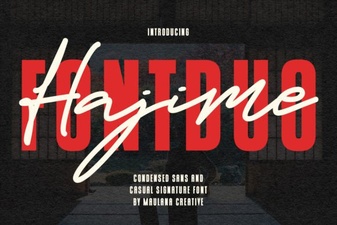 Hajime Font Duo for Modern Web Design Projects
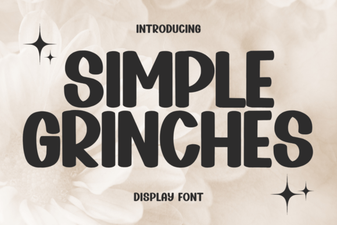 Simple Grinch Fonts for Your Holiday Projects
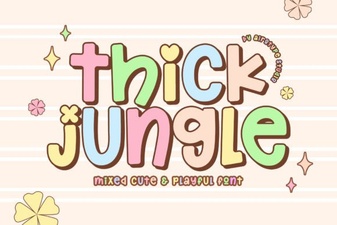 Fonts for Projects with Jungle-Themed Design
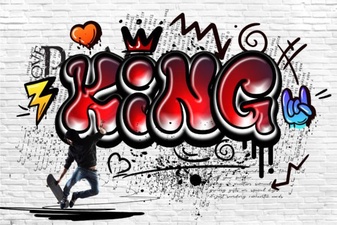 Designing with King Font: Typography Projects & Inspiration
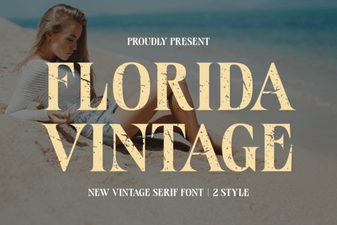 Vintage Florida Fonts for Your Creative Projects
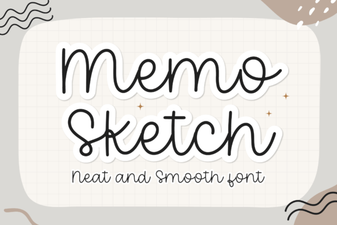 Memo Sketch Font for Creative Design Projects