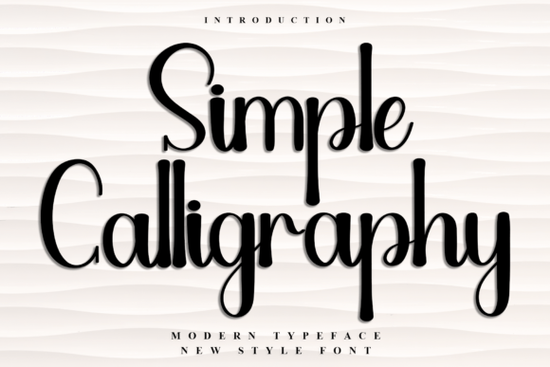
Finding the right lettering for seasonal projects can be tricky, especially when you want something that feels warm and personal without looking messy. The Simple Calligraphy Font solves this by offering a clean, festive typeface that captures a cheerful holiday spirit. It is designed specifically for crafters, small business owners, and print-on-demand sellers who need reliable, attractive lettering for greeting cards, gift tags, and seasonal packaging.
What makes this typeface work for holiday projects?
When designing seasonal merchandise or personal gifts, the mood of the lettering matters just as much as the words themselves. This particular script features decorative elements and a unique flair that give off a nostalgic, happy vibe. Unlike overly complex scripts that become hard to read at smaller sizes, it maintains a clear structure. This makes it highly practical for printing on physical items like mugs, tote bags, or paper gift labels where legibility is crucial for the end user.
How do I access the extra glyphs and ligatures?
One of the most useful features of this download is that it is PUA coded. If you are new to typography, PUA (Private Use Area) encoding means all the special swashes, alternate characters, and ligatures are mapped to standard keyboard keys. You do not need expensive design software to access them. Basic programs like Microsoft Word, Silhouette Studio, or Cricut Design Space allow you to open the character map and copy-paste these decorative extras directly into your canvas.
If you are building a broader library for your design business, mixing different styles keeps your portfolio fresh. For instance, you might pair this festive script with a more relaxed, everyday handwriting style like the farmhouse handwritten option for rustic winter projects. Alternatively, if you are working on elegant wedding stationery that happens to fall in December, blending it with a formal signature style typeface can create a beautiful contrast.
Which projects get the best results with script styles?
Script fonts shine when they are used to highlight specific words rather than writing long paragraphs. Here are a few ways creative hobbyists and small shops use these styles effectively:
- Custom apparel: Printing short, festive phrases on sweatshirts or family reunion t-shirts.
- Stationery: Designing the main header for holiday greeting cards or winter wedding invitations.
- Packaging: Adding a personalized touch to small business thank-you cards and product boxes.
- Digital assets: Creating social media templates or blog graphics for seasonal promotions.
When planning your typography, it helps to look at how other lettering styles behave. A playful, youthful option like the school lovers script works wonderfully for back-to-school or teen-focused items, while a delicate, flowing choice like the magnolia signature style is better suited for high-end cosmetics or boutique branding. You can also explore more options in the simple calligraphy script collection to find the exact fit for your current task.
When working with decorative lettering, following basic Simple Calligraphy anatomy rules ensures your final product looks professional. Keep the script for headlines or short phrases, and pair it with a clean, simple sans-serif font for the body text. This prevents the design from looking cluttered and ensures your customers can easily read the important details like dates, prices, or addresses.
What software do I need to use the decorative elements?
Because the font is PUA encoded, you have a lot of flexibility with your tools. Professional designers often use Adobe Illustrator or Photoshop, where the glyphs panel makes accessing ligatures a single click away. However, crafters using cutting machines can easily use the built-in text tools in Silhouette Studio or Cricut Design Space. Just open your computer's character map (Character Viewer on Mac or Character Map on Windows), find the installed typeface, and double-click the specific swash you want to copy it directly to your clipboard.
Quick setup checklist for your next design
Before you start your next holiday or seasonal project, run through this quick setup process to ensure everything goes smoothly:
- Install the font files: Unzip your download and install both the OTF and TTF files to your computer.
- Restart your software: Close and reopen your design program so it recognizes the new typeface.
- Test the ligatures: Type a few words to see how the letters connect naturally, and adjust the tracking if needed.
- Open the character map: Keep your system's character map open on the side of your screen for easy copy-pasting of extra swashes.
- Check the sizing: Print a test page on regular paper to make sure the decorative elements are thick enough to cut or print clearly.
Taking these few extra minutes to prepare your workspace will save you time and help your final designs look polished and professional.
Try It Free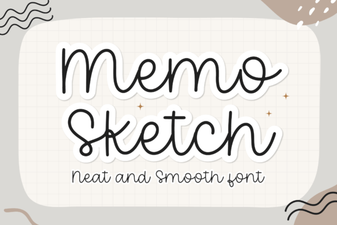 Memo Sketch Font for Creative Design Projects
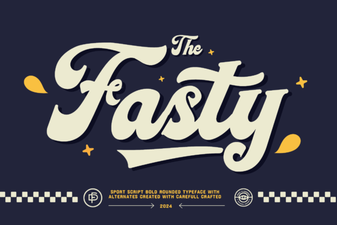 Fasty Font: Design-Friendly Web Typography
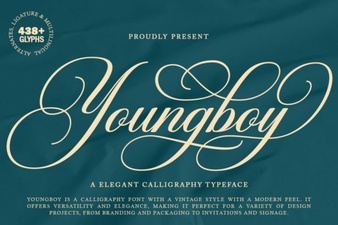 Design a Logo with the Youngboy Font
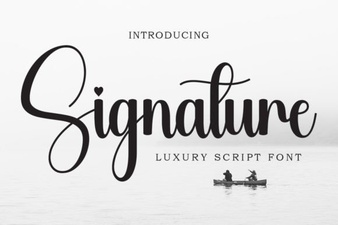 Signature Fonts for Personal Style & Creative Projects
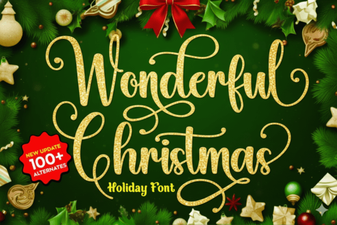 Beautiful Christmas Fonts for Your Holiday Designs
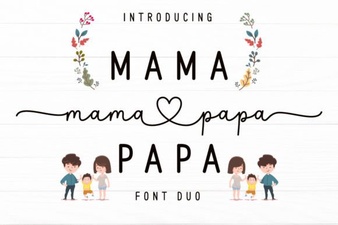 Mama Papa Duo Font: Dual-Family Creative Projects